Background
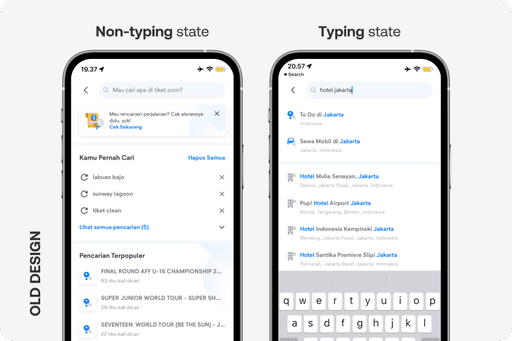
tiket.com Global Search feature (3.0 ver.) have 2 states: typing and non-typing. Both states need some work, both the functionality and the design.
Functionality-wise: Popular or trending search results are not engaging, and keyword-based results often feel irrelevant.
Design-wise: The interface relies solely on text and preset icons, which are not visually compelling enough to encourage exploration.
Goals
Increase Global Search CTR and CVR by:
1
Enhancing recommendation logic for more relevant results.
2
Refining the UI to be more engaging and intuitive.
Non-typing State Improvement
Context
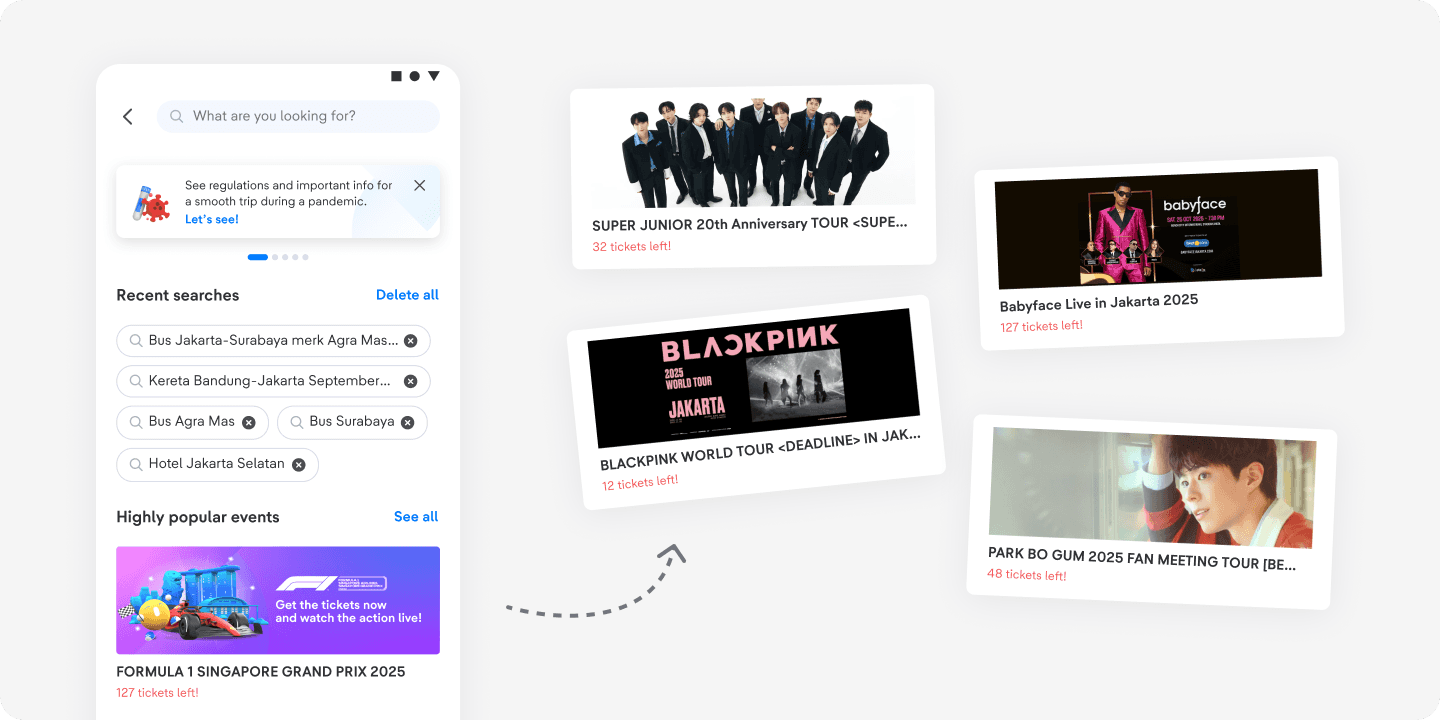
In this state, users are not typing anything yet. To support easier navigation, we highlight trending events, as data shows that ongoing events are frequently searched and deliver high conversion rates (CVR) in our global search.
Design Improvement
1
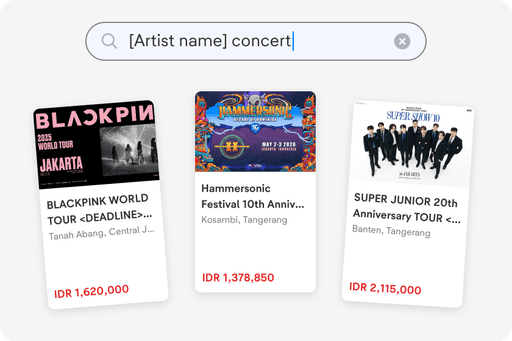
Highlighting popular events
Providing this helps users reach product pages faster. The section is dashboard-customizable, so we can easily feature the most in-demand items.
2
UI improvements in other sections
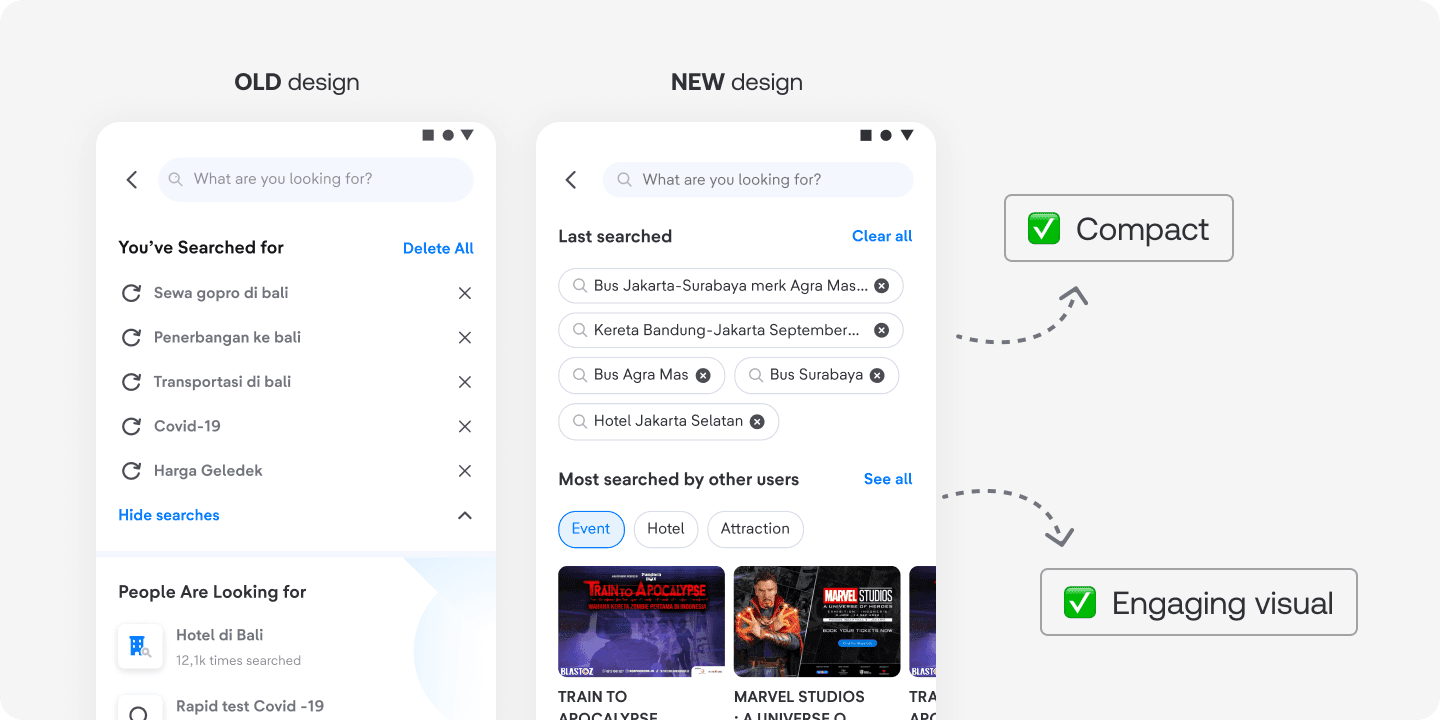
Converting recent searches into chips increases the number of items we can display within the section.
Presenting most searched items in product card format captures users’ attention and encourages interaction—ultimately driving higher CTR and CVR.
Impact
We compared the CTR and CVR data of the old and new Global Search non-typing states and here are the results:
1
⬆️ Increase CTR by 56.72%
2
⬆️ Increase CVR by 8.21%
Typing State Improvement
Context
From our user research, we found that most users typically use an OTA when they already know what they’re looking for, rather than browsing for inspiration.
This makes the Global Search typing state crucial for delivering relevant results based on users’ input. However, the current capability often surfaces irrelevant results, creating friction in the search experience.
Logic Improvement: Accurate and precise search results
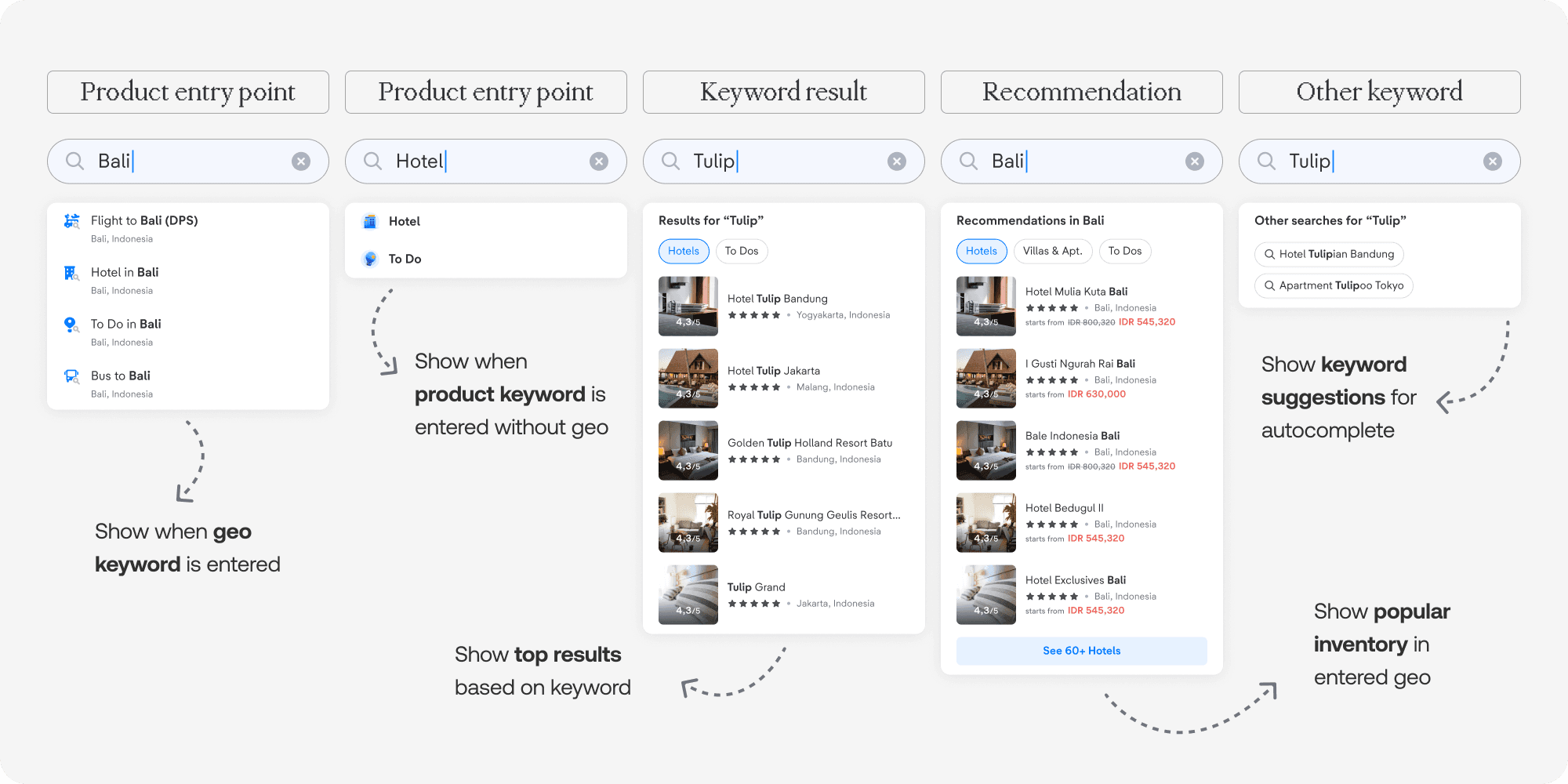
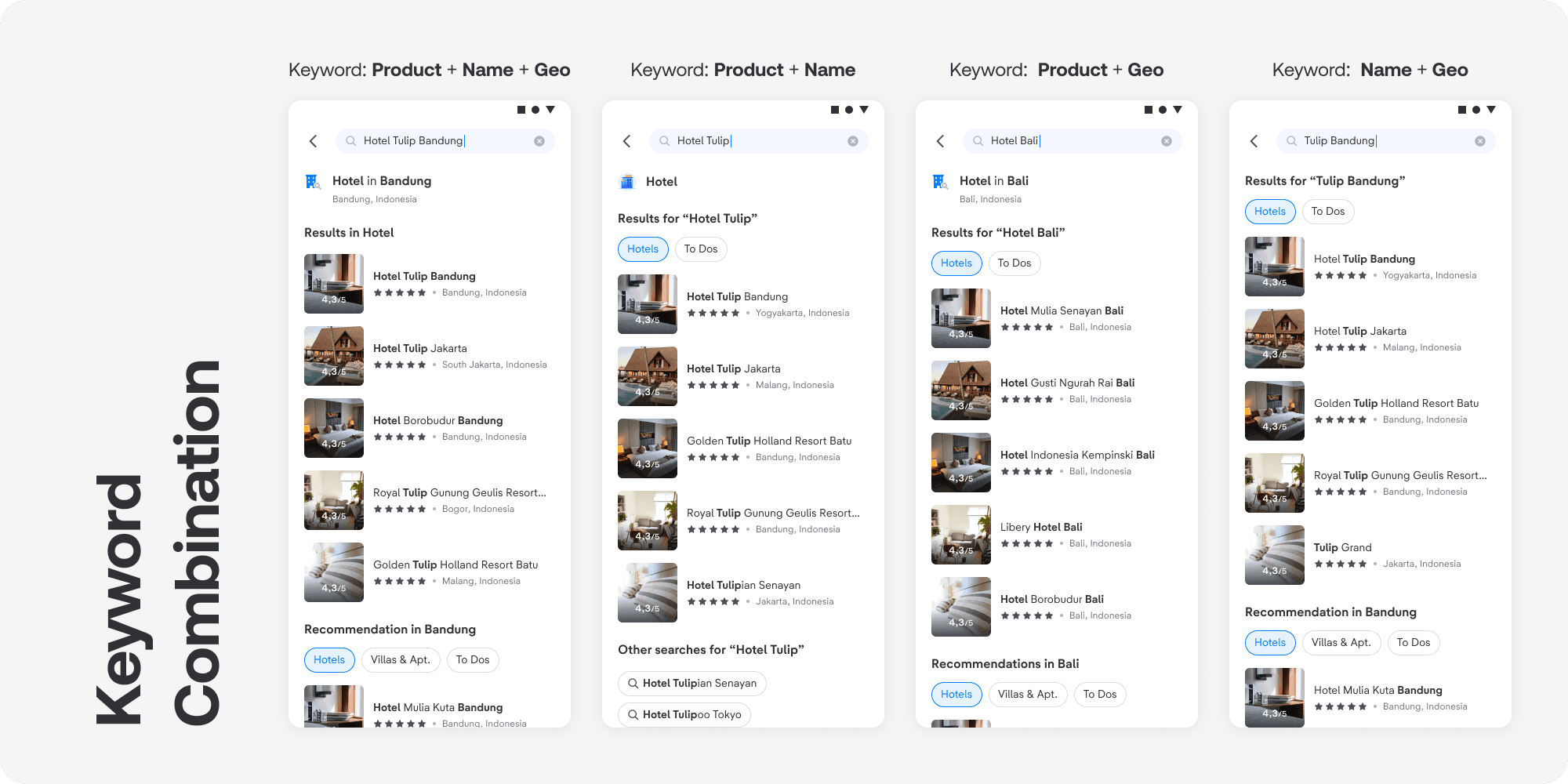
By tracking commonly searched keywords, we can map them to their respective categories and surface the most relevant results for each. We group the results into three categories—product, geo, and name—as data shows that most popular keywords fall within these segments.
Based on the keyword logic mapping we've defined, we determine the result logic for each category and their combinations.
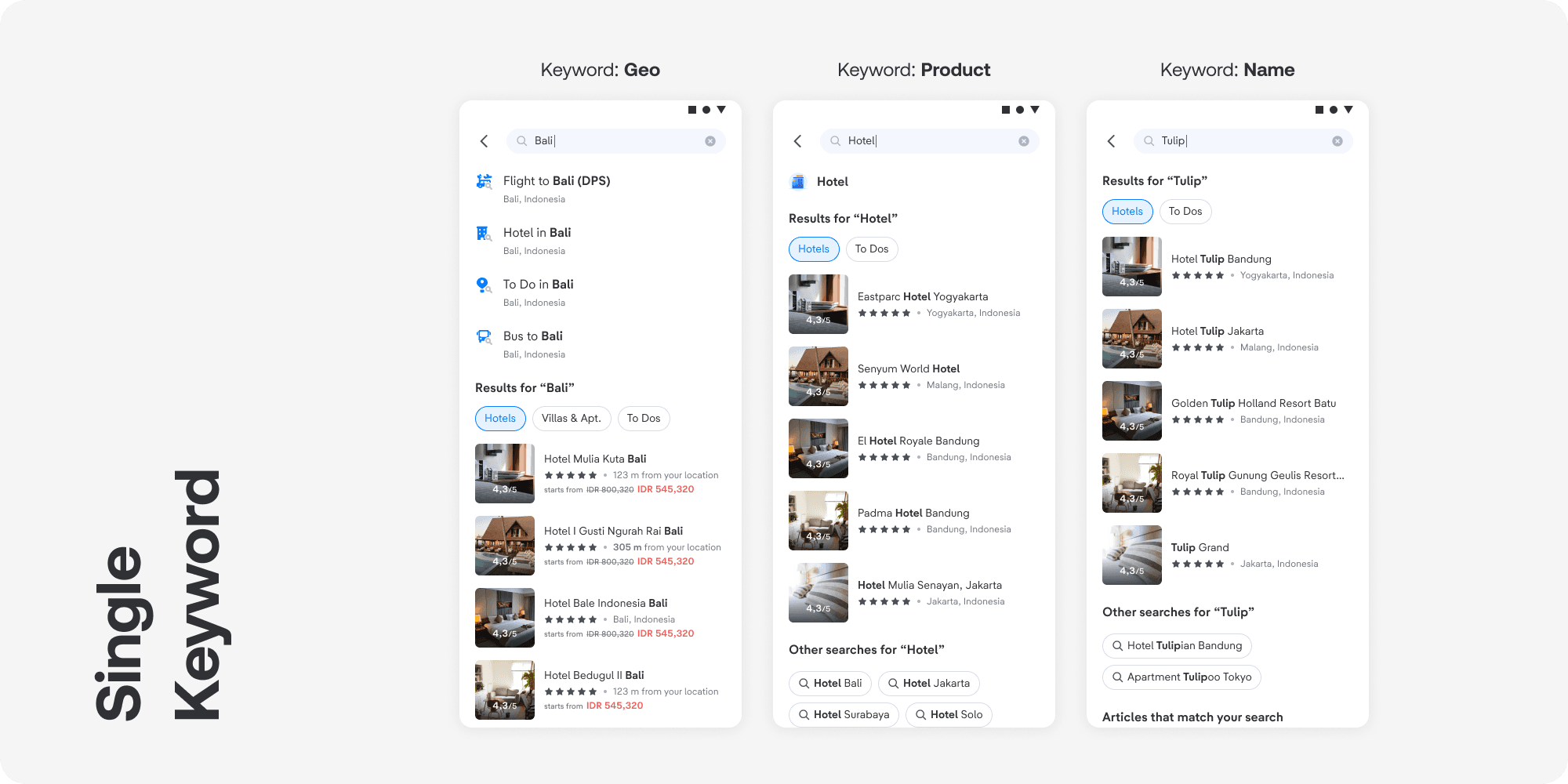
Here are the sample implementations for each keyword:
Design
1
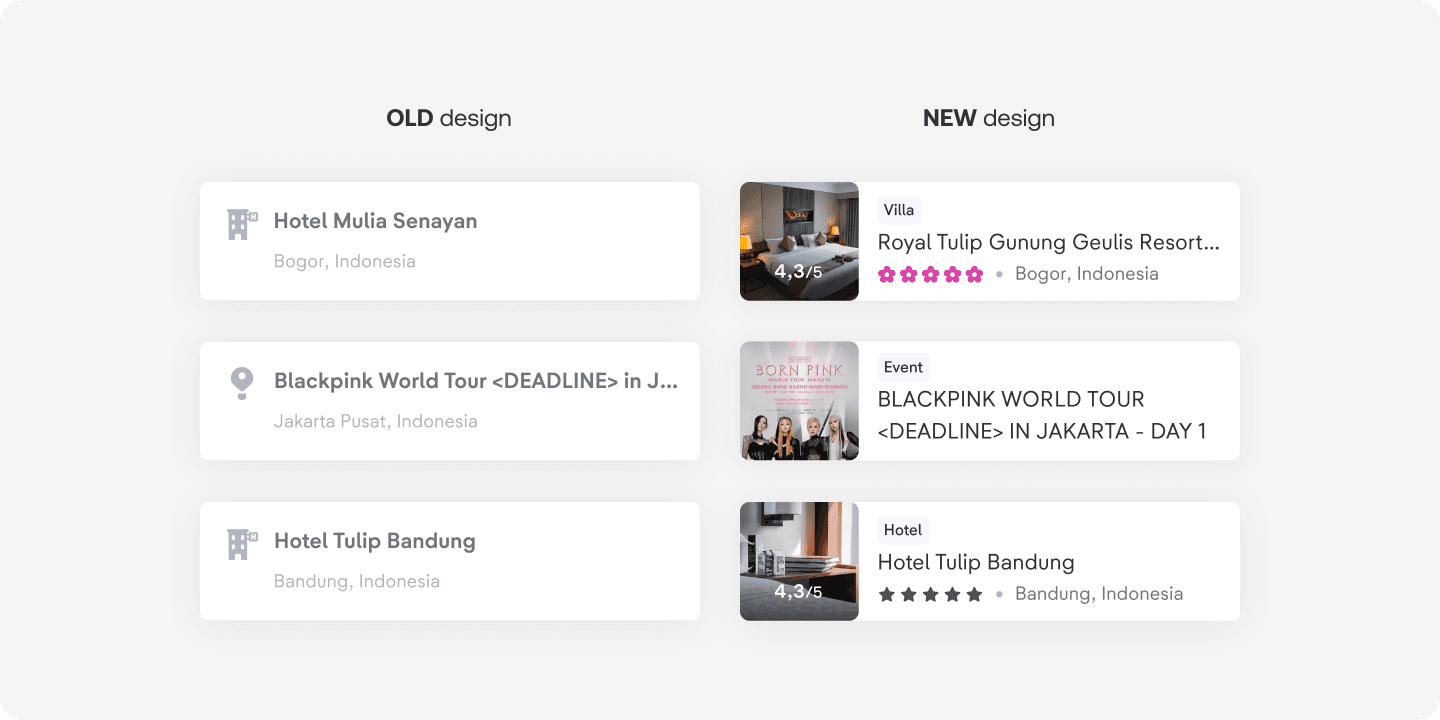
Helps users quickly find what they’re looking for
With the new information architecture, we can showcase more details—like images, star ratings, reviews, property or event type, and category—making it easier and faster for users to find what they’re looking for.
2
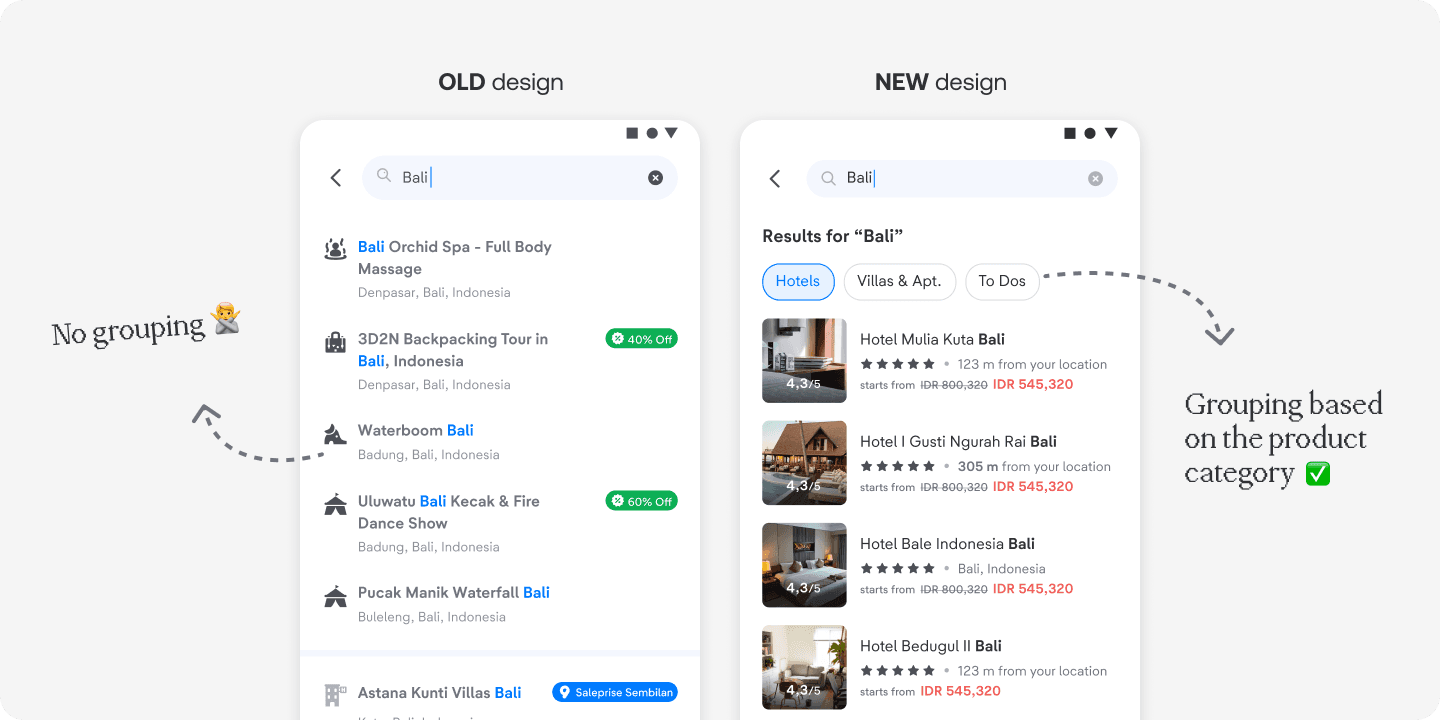
Smarter categorization
We’ve added chips in the PDP search results to improve visibility and grouping, dividing results into Hotels, Homes, and TTD verticals.
Impact
1
⬆️ Increase CTR by 1.10%.
2
⬆️ Improved verticals’ CVR by an average of 8.3%.
3
⬆️ Estimated IDR +1.3B GBV in a single month.
Lessons learned
1
Craftmanship
This was my first-ever project during my internship at tiket.com. It made me realize that the design process isn't always as systematic or linear as we might expect. Each project comes with its own objectives, scope, resources, and timeline. It is requires us to adapt the design process accordingly.
2
Information architecture
I learned that good design starts with strong information architecture. We need to identify the most important information to present at each stage of the user journey to avoid information overload.
Credits
This feature is made to live thanks to the Discovery team:
Product Managers: Richard Ham, Yulia Amanda, Candra
Product Design: Fawwazy (Design Lead), Ruth (UX Writer), Ryan Ardinata (Sr. Product Designer - my partner and mentor in doing this project), Yoga Pambayun (3D Illustrator)
Engineering: Rahmat Kurniawan and the team